
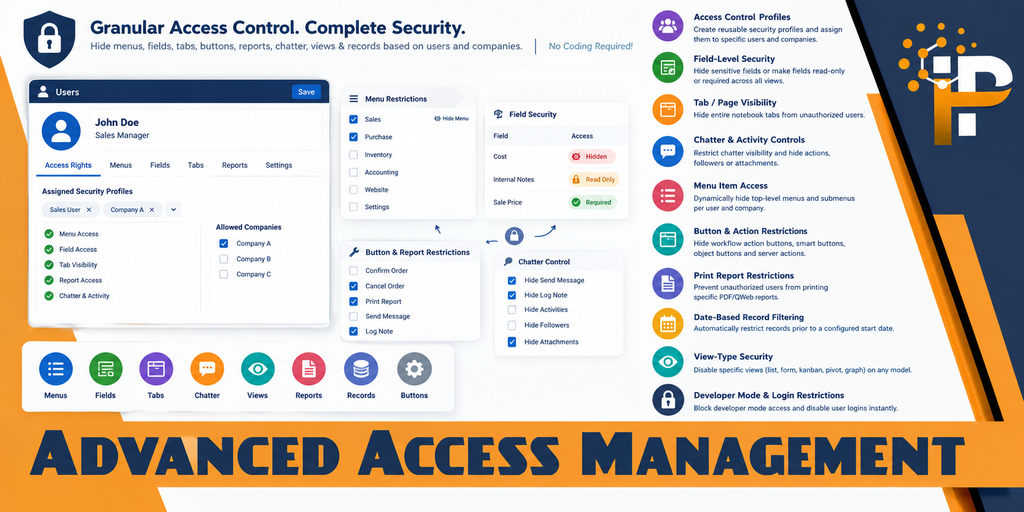
Advanced Access Management & Security Rights Control
Empower system administrators to define granular, multi-company, global, and user-specific security rules without writing a single line of code. Effortlessly restrict fields, notebook tabs, chatter, menus, buttons, reports, server actions, kanban options, search filters, view types, and domain records.
Comprehensive Security & Access Features
An all-in-one access rights management suite engineered for high reliability, performance, and complete administrator control with Odoo 20 enterprise-grade security.
Model CRUD Access Rights
Granularly control Read, Write, Create, and Delete (unlink) operations per model. Prevent unauthorized deletions or edits independently of standard Odoo groups.
Field-Level Security & Domains
Hide sensitive fields or enforce read-only and mandatory statuses statically or conditionally using dynamic domain filters (e.g. read-only once confirmed).
Domain Rules (Row-Level Security)
Enforce record-level filtering per model with selective operation mapping (Read, Write, Create, Delete), powered by crash-proof self-healing domain evaluation.
Notebook Tab / Page Controls
Hide whole form notebook pages (such as Other Info, Accounting, or Technical Settings) from unauthorized users, securely masking both UI and data.
Menu Item Show / Hide
Dynamically hide root applications, top navbar menus, and deep submenus per user and company with automatic inheritance for child menu items.
Buttons & Workflow Actions
Restrict critical action buttons, workflow triggers (Confirm, Cancel, Lock, Unlock), and stat buttons across form and list views.
Chatter & Activity Rights
Granularly control communication: hide the full chatter or restrict Send Message, Log Note, Schedule Activity, Followers, and Attachment uploads.
Date-Based Record Filtering
Automatically restrict historical records prior to a configured start date per model without writing Python domain rules.
Kanban Options & Search Filters
Disable kanban card settings (Edit, Delete, Archive) and hide specific search filters, Group By options, or collapse the search panel entirely.
Print Reports & Server Actions
Prevent unauthorized users from printing confidential PDF/QWeb business reports or executing backend server actions from the Action dropdown.
Read-Only User & API Blocking
Convert users into completely read-only with a single click, and block external XML-RPC, JSON-RPC, and API script access to prevent data scraping.
Safe Configuration Safeguards
Built-in proactive validation blocks contradictory rules (such as Hidden + Required), validates domains against model schemas, and ensures zero downtime.
Visual Walkthrough & Screenshots
Explore how effortlessly you can configure, monitor, and enforce advanced access management rules.
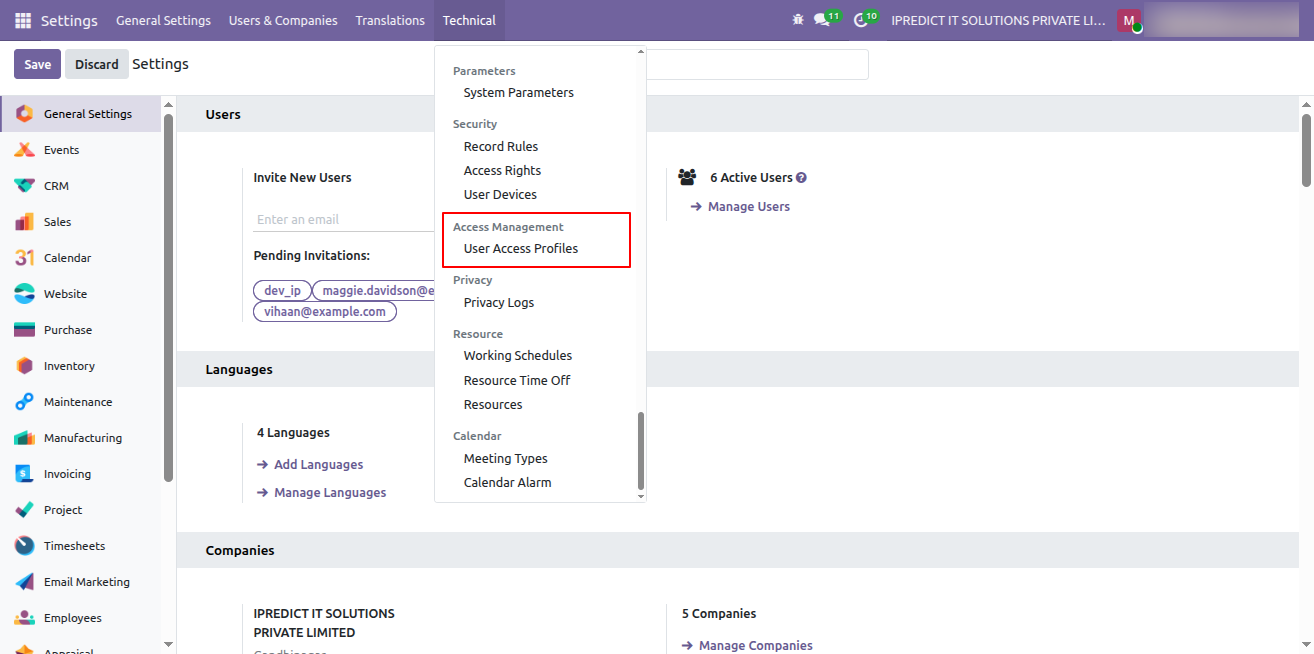
1. Access Management Profile Configuration
Easily navigate to Settings > Technical > Access Management > User Access Profiles to manage and configure all access control profiles in one centralized location.
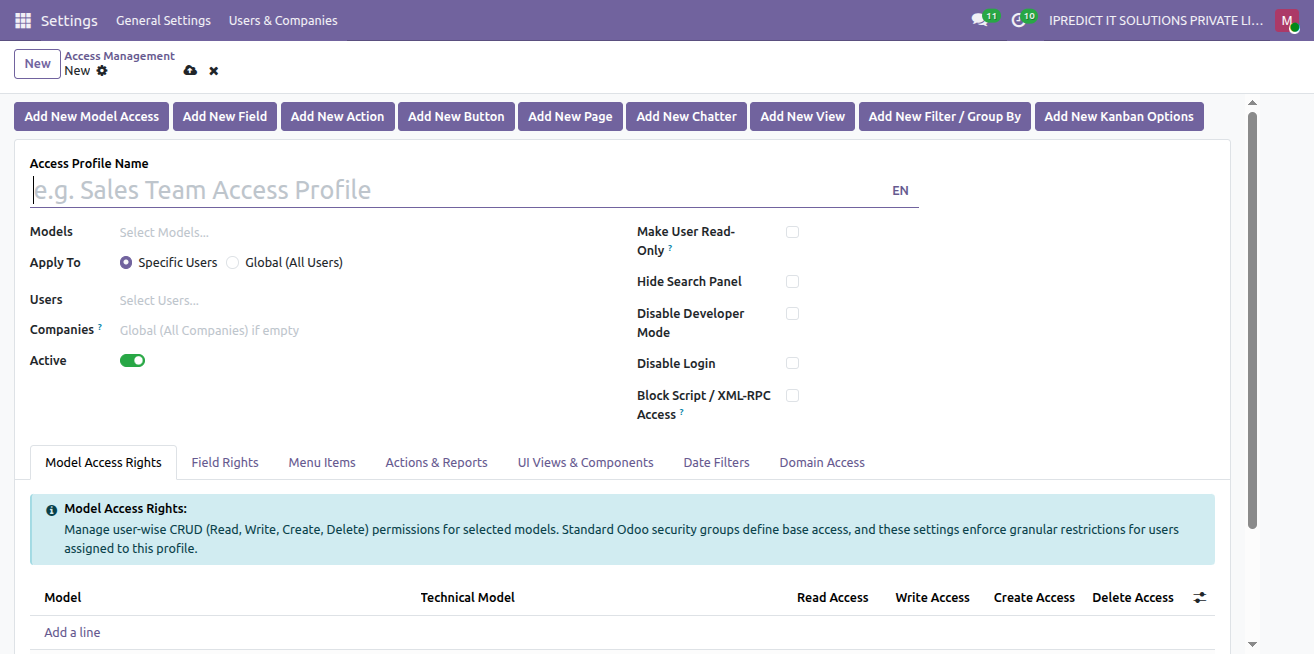
2. Create & Configure Access Profile
Click New to create a custom access profile. Select target models, assign to Specific Users or apply Globally (All Users), and configure global flags such as Make User Read-Only, Hide Search Panel, Disable Developer Mode, Disable Login, and Block Script / XML-RPC Access. Quick-action buttons allow instant one-click population of rules.
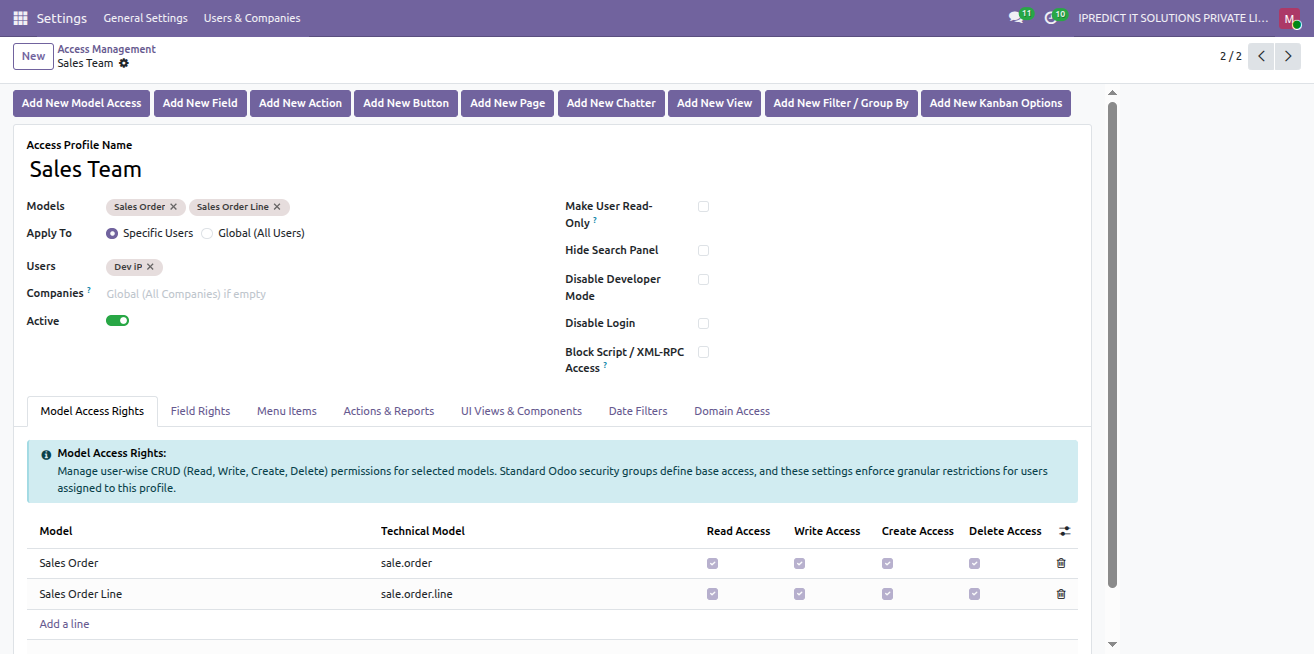
3. Model-Level Access Rights (CRUD Control)
In the Model Access Rights tab, grant or restrict granular Read, Write, Create, and Delete permissions per model (e.g. Sales Order, Sales Order Line). Enforces security that complements base Odoo user groups.
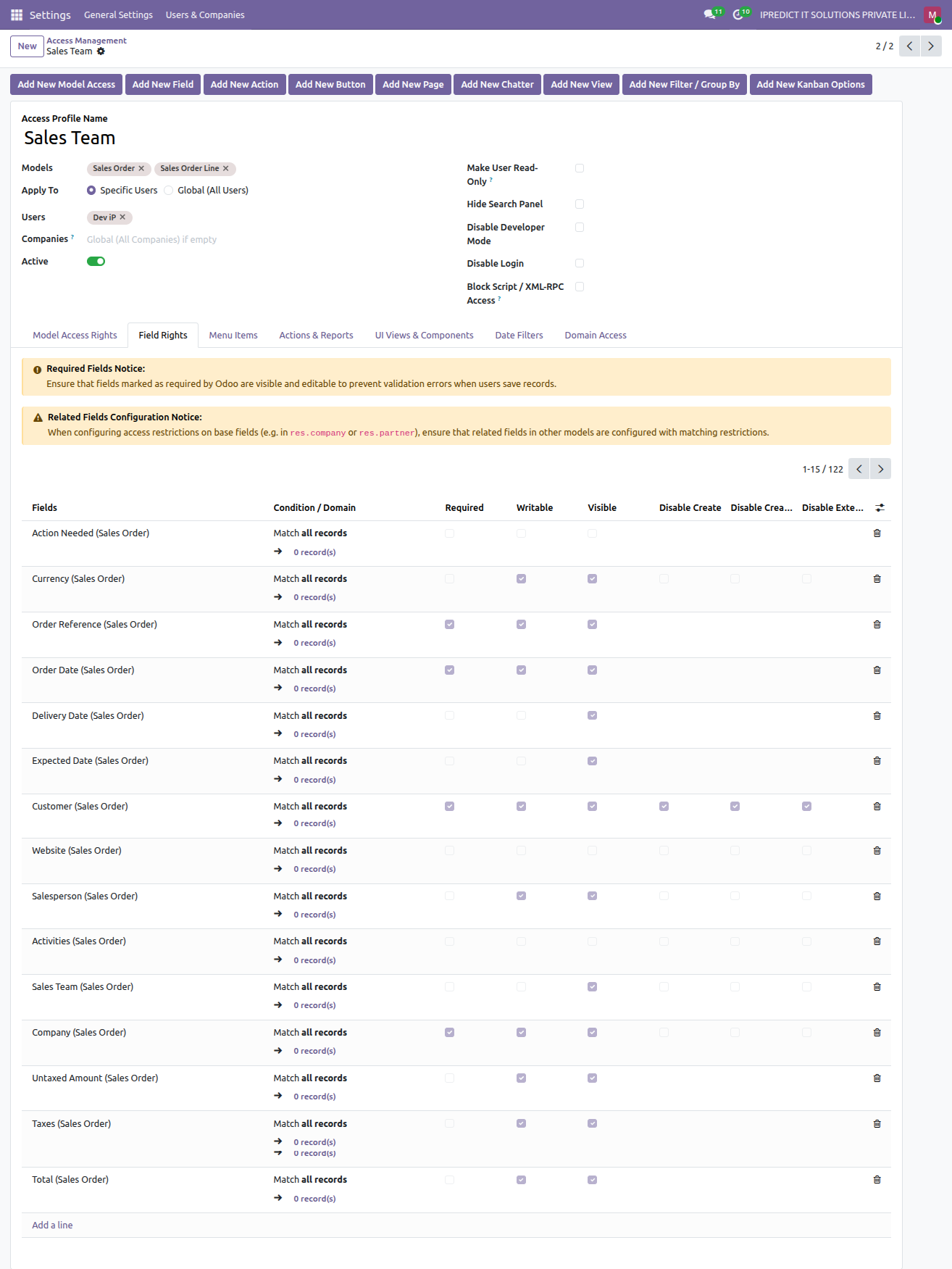
4. Field Rights & Relational Security Controls
In the Field Rights tab, control field visibility, read-only/write access, and mandatory requirements statically or dynamically via domain conditions. Relational Many2one fields can be restricted with Disable Create, Disable Create & Edit, and Disable External Open (no open link).
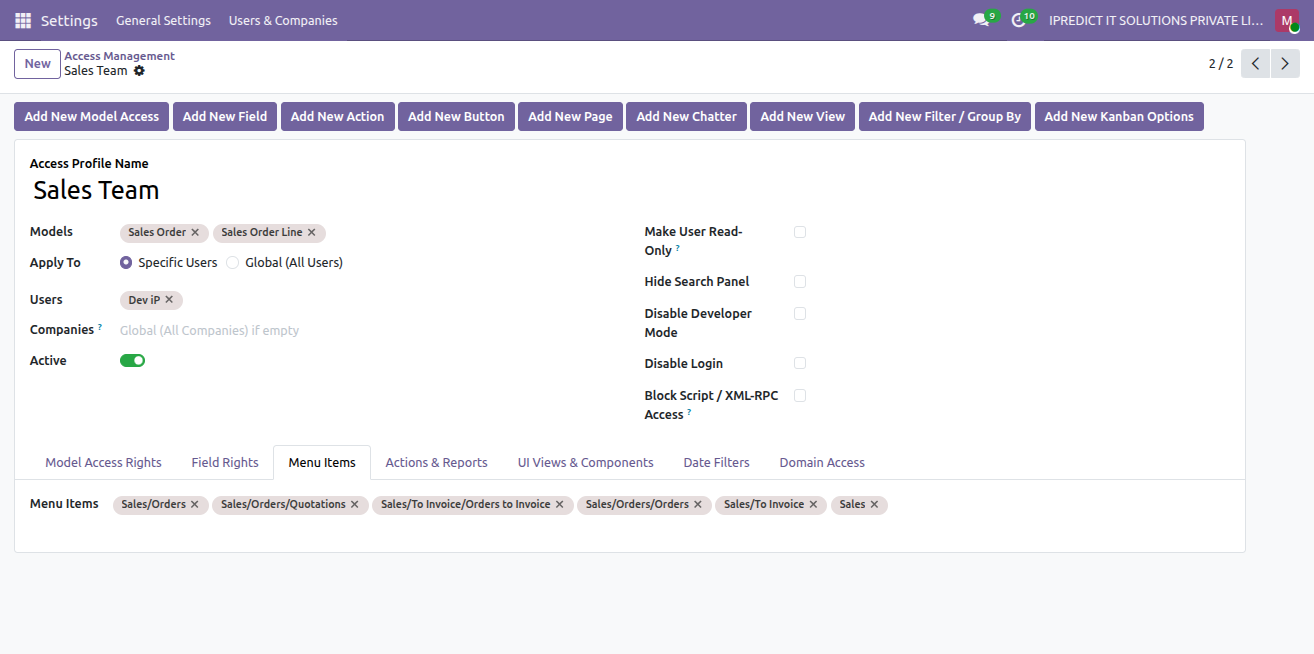
5. Menu Show / Hide Management
Choose which menu items are visible or hidden for users linked to this access management profile.
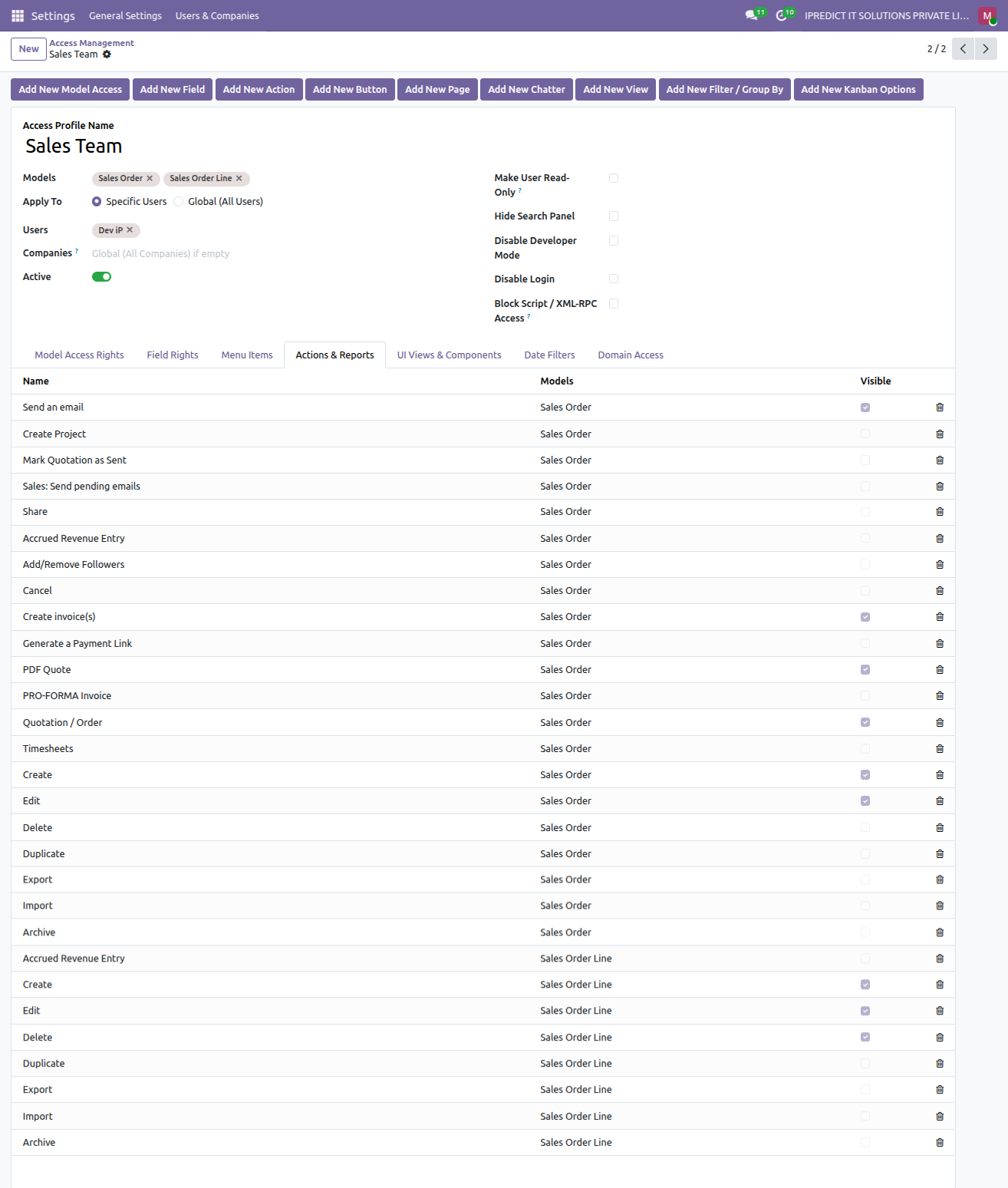
6. Server Actions & Print Report Restrictions
Restrict server actions and prevent printing of sensitive financial, payroll, or business reports.
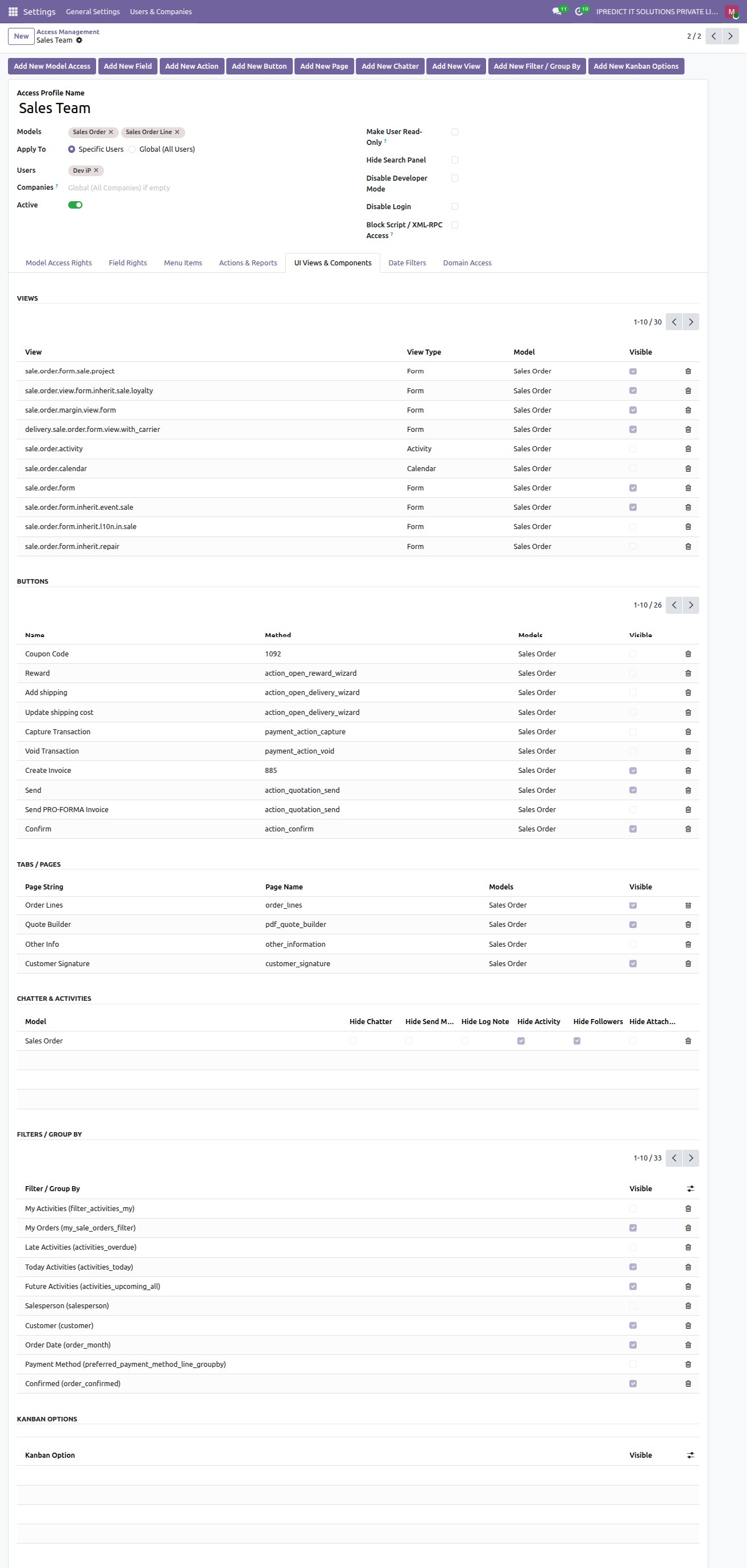
7. UI Views, Buttons, Tabs & Chatter Controls
The UI Views & Components tab centralizes granular frontend component management:
• Views: Disable specific view modes (e.g. Calendar, Activity).
• Buttons: Hide workflow and action buttons (e.g. Coupon Code, Reward, Add shipping).
• Tabs / Pages: Hide sensitive form notebook tabs (e.g. Other Info).
• Chatter & Activities: Restrict chatter components (e.g. hide Activity scheduling, hide Followers).
• Filters / Group By: Restrict specific search filters and group by options.
• Kanban Options: Control kanban card settings and actions.
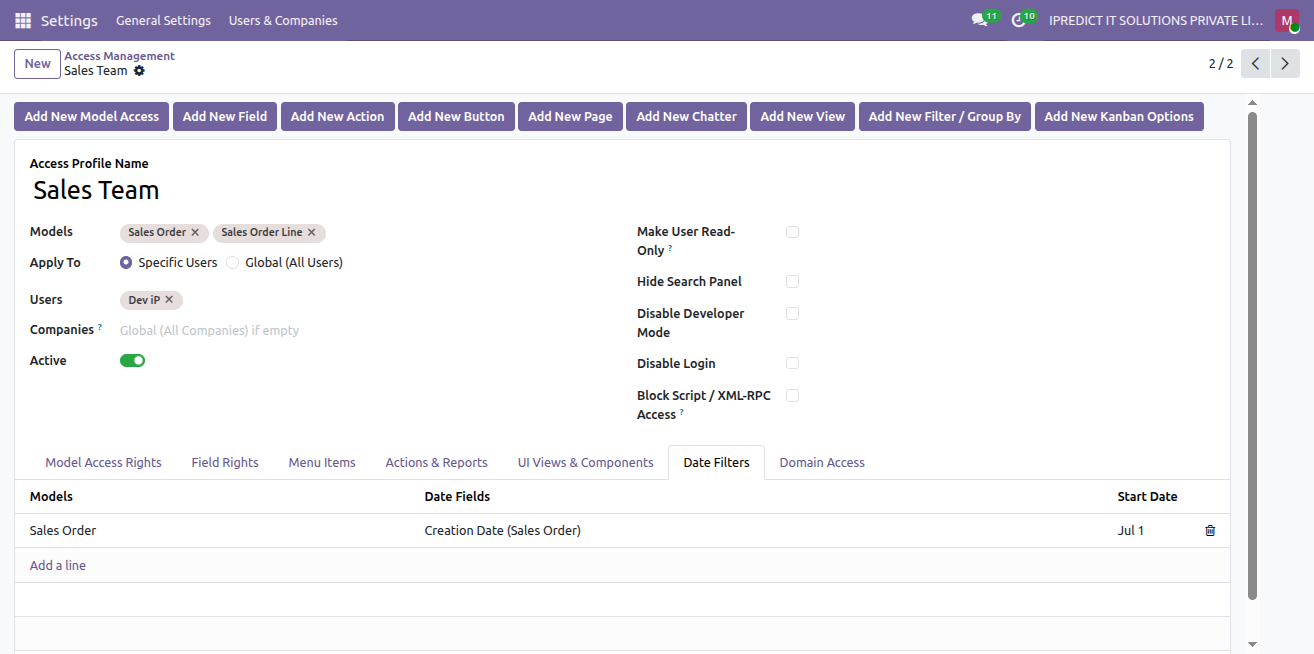
8. Date-Based Record Filtering
Automatically enforce record filtering by date field and start date to restrict access to historical transactions.
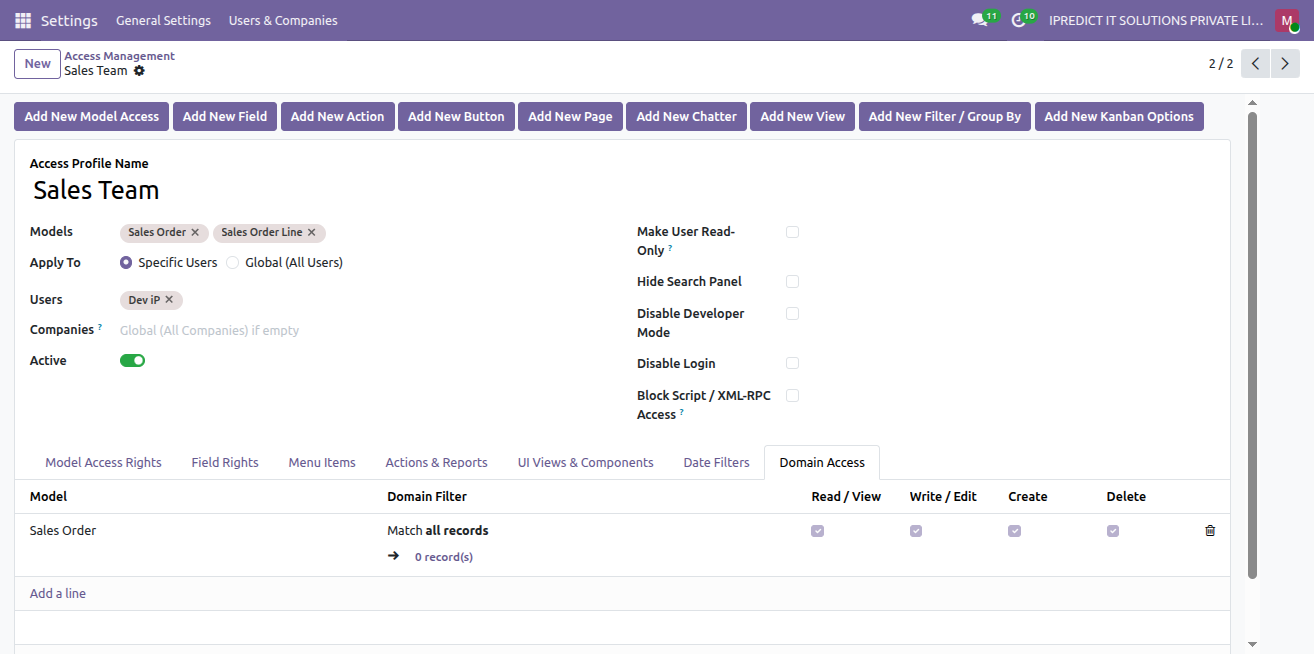
9. Domain Access Rules (Row-Level Security)
Under the Domain Access tab, define custom domain rules to enforce row-level security per model. Selectively toggle enforcement across Read / View, Write / Edit, Create, and Delete operations with built-in domain syntax verification.
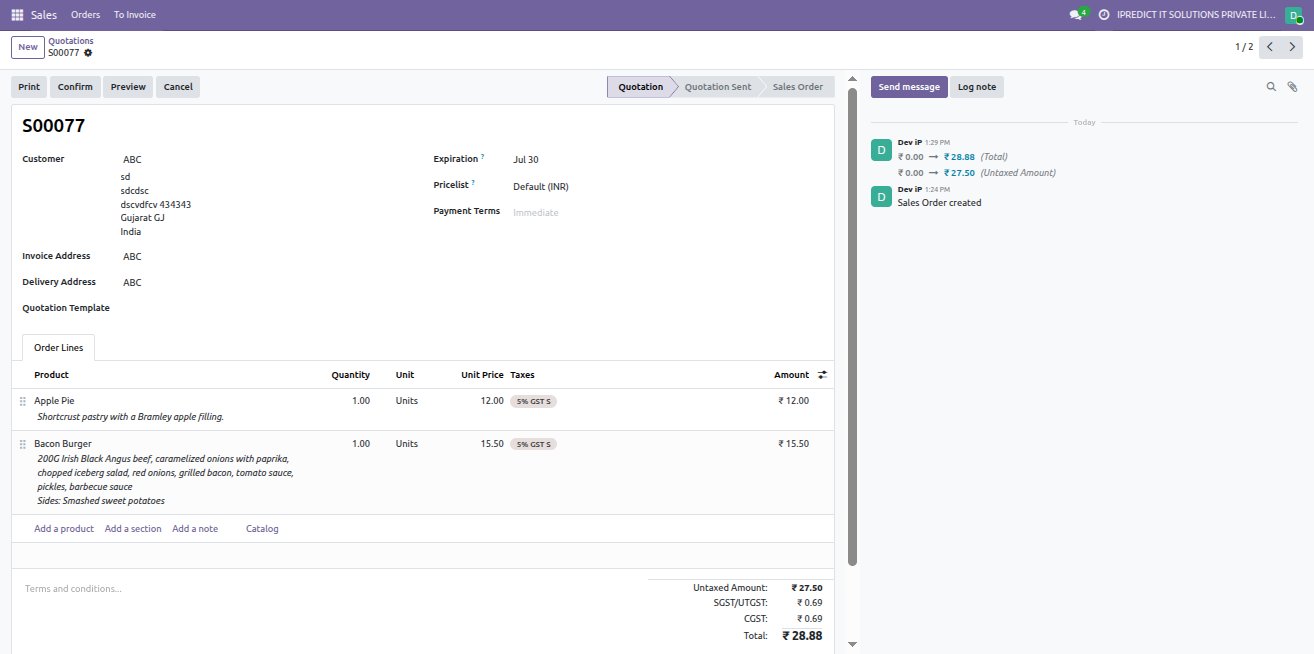
10. Real-World User Experience (Enforced Security in Action)
Live view of user Dev iP logged in with the "Sales Team" profile active:
• Navbar displays ONLY the assigned Sales menus (Sales > Orders > To Invoice).
• Quotation form view (S00077) displays only permitted action buttons (Print, Confirm, Preview, Cancel).
• Confidential notebook tabs like Other Info are completely hidden, leaving only Order Lines.
• Chatter activities and followers are restricted per configuration.
• Relational creation and opening on Customer are safely restricted.
Quick Start Guide
Get up and running with Advanced Access Management in 3 simple steps:
Create Access Profile
Navigate to Settings > Technical > Access Management and create a profile. Select target models, users, and companies.
Configure Restrictions
Click the header action buttons to auto-populate fields, buttons, pages, chatter, views, and actions, then adjust visibility, CRUD, and domain rules.
Save & Enforce
Save the profile. Security rules are immediately enforced across user sessions in real time with high-speed in-memory caching.
Technical Help, Queries & Support
For any other assistance related to the new Odoo feature, customization or Odoo Development.